








Smart 2027
Digital planner
ZH-10
The best digital planner
There are many tasks we have to remember throughout the day, and if we don’t write them down, it’s easy to forget some. Although there are numerous applications to organize tasks, appointments, calendars, and reminders from the mobile phone, some prefer to have a specific device for this function.
Read more Artur Heras, a painter of ideas
Besides traditional paper planners, there are digital planners that allow you to write on a small screen everything you want to keep in mind. This avoids paper consumption and, in some cases, includes additional functions such as showing the time, day of the week, or weather forecast. With some models, it is also possible to digitize what you write by hand to consult it later from other devices.
How we chose and tested the products
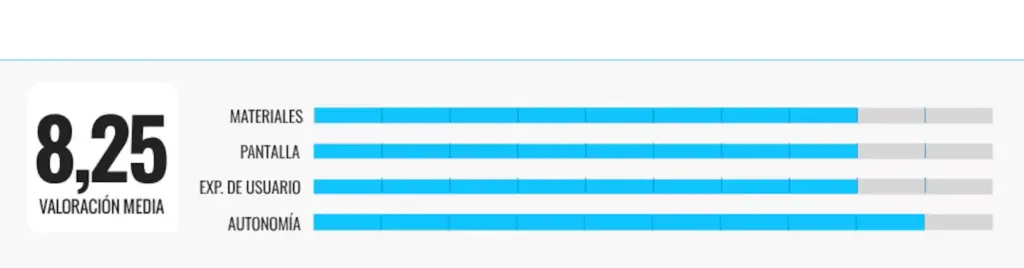
To select the digital planners for this comparison, I set a maximum budget of 40 euros and looked for models that allowed organizing daily tasks simply but offered some additional function compared to a paper planner. The selection includes from basic digital planners to options that allow digitizing notes.
For three weeks, I tested the planners, using them both at home and in other daily situations. During this time, I noted work-related tasks such as meetings, deliveries, or pending matters, but also personal issues like shopping lists, appointments, errands, or household chores. I also deleted completed tasks and modified others when their dates changed to check if it was easy to keep the planner updated.
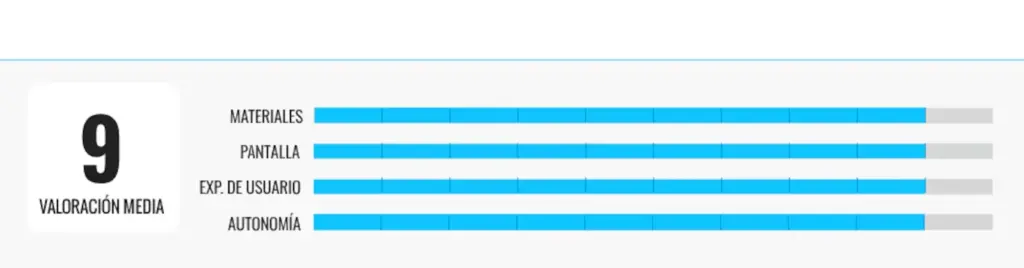
I also moved the different models from one place to another to assess their comfort for transport and whether their construction was suitable for regular carrying. During this time, I focused especially on the following aspects:
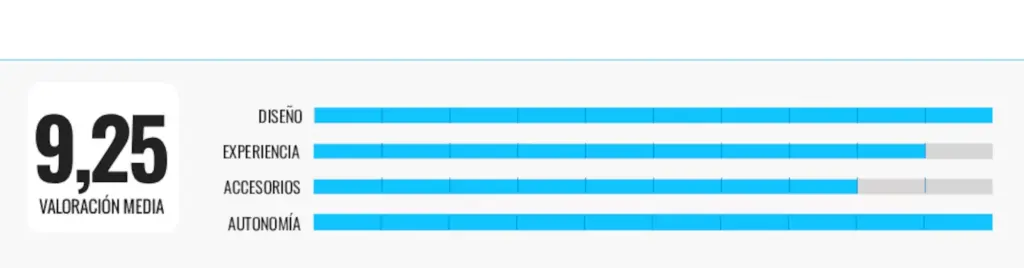
- Design: their durability for daily use and how practical their size was both for having them on the table and carrying them around.
- User experience: how easy it is to write, erase, and consult notes, as well as any additional functions each model might include.
- Autonomy: how each model performs in this regard — whether it uses batteries, rechargeable batteries, or none — and, when applicable, if the autonomy was sufficient for daily use.
- Accessories: what each model includes by default and if it has elements that facilitate use, such as a pen, stand, or other complements.
Why you can trust me
Throughout my journalistic career, I have always sought to turn complex information into clear, practical, and easy-to-understand content for the reader. Therefore, in comparisons, my goal has always been the same: to understand the characteristics of the products I test and explain which models are most suitable according to each need. I like to put myself in the reader’s shoes and imagine their doubts, which is why I do not limit myself to describing specifications; I contextualize them and highlight the best (and worst) of their performance, use, and design. My purpose is that each analysis inspires confidence and helps make informed decisions.
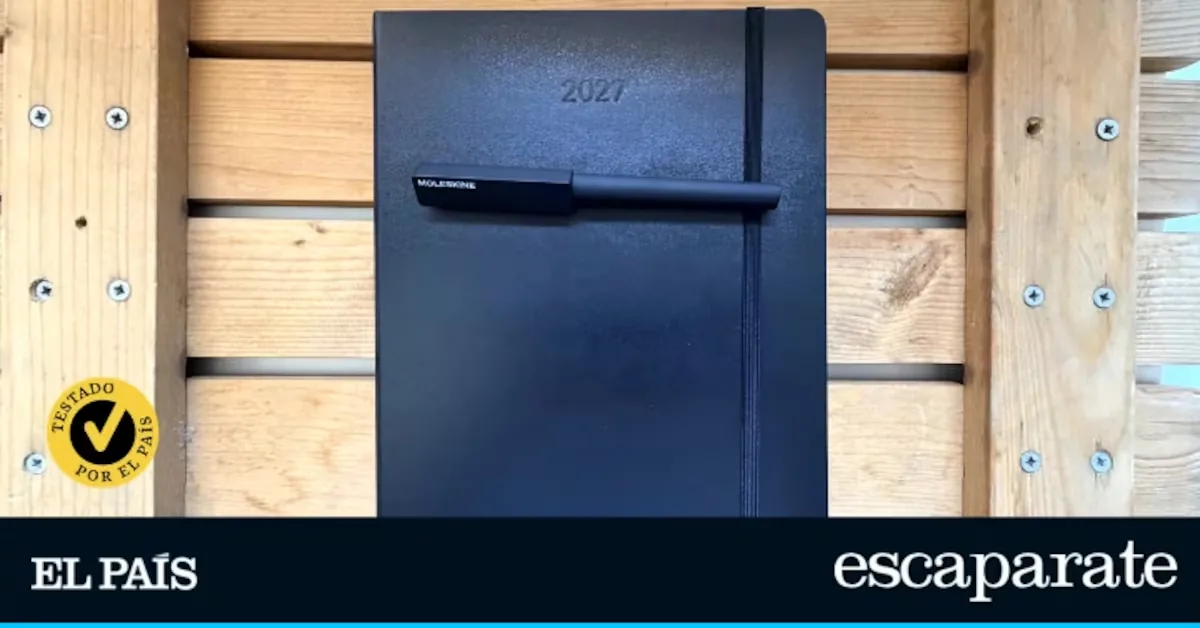
To digitize notes: Moleskine Smart 2027
Who it is for: for those who enjoy planning and writing by hand but need to have part of that information located and accessible also from the mobile phone.
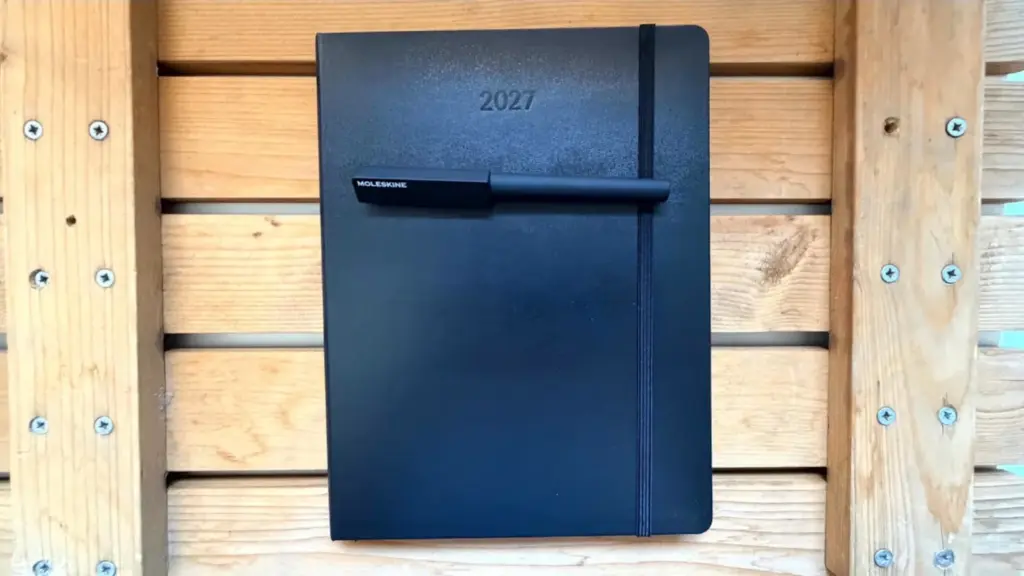
Why we recommend it: this model combines the best of a traditional planner with the advantages of digitizing notes. Its use is similar to a paper planner: you write with the Smart Pen (not included) directly on its pages, note appointments, tasks, or reminders, and organize the week at a glance.
For example, a task list I had written for a particular week I could keep in the app, search for later without having to remember on which page I wrote it, and share it with someone else. This whole process was quite simple. Just configure the Smart Pen and link it with the app so that notes are saved automatically, without needing to do anything else. Then, locating or sharing notes only requires a couple of steps from the mobile.
For its part, the weekly layout seemed appropriate to combine personal and work tasks. Each week occupies two pages, so I could note tasks without having to keep turning pages. Since I usually carry the planner wherever I go, I liked that its design did not sacrifice the elements that make a paper planner comfortable. In fact, the hardcover seemed sturdy enough to carry in a backpack without worrying about the pages getting damaged. The elastic closure prevents it from opening, and the inner pocket is useful for storing small papers or documents that would otherwise end up loose. Also, its paper provides a refined feel and is thicker than many conventional planners.
Its weak points: the pen or Smart Pen, essential to take advantage of the digitization functions, is not included and must be purchased separately.
Built-in 120 mAh battery: Bewinner digital planner
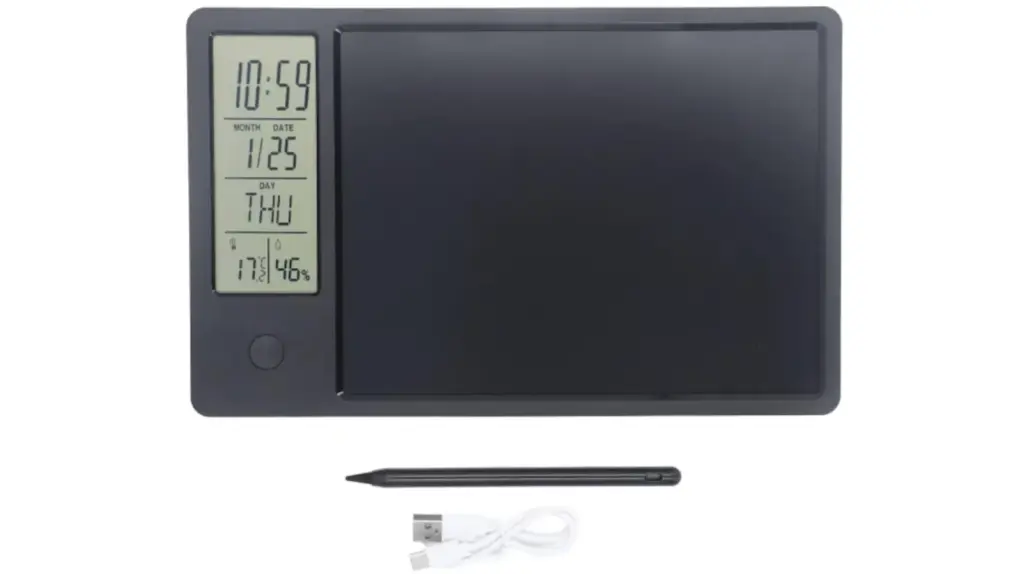
Who it is for: for those looking for a very simple and economical digital planner.
Why we recommend it: this digital planner or organizer has a size similar to a tablet (26 x 16 centimeters) and features a high-definition LCD screen. It includes an instruction manual, a charging cable (without adapter), and a stylus to write on the screen.
Next to the touchscreen is a smaller one showing the time, date, month, day of the week, temperature, and humidity of the place where it is located. All in fairly large numbers and letters (the month, date, and day are indicated in English).
It is very easy to use since it only has three buttons: one to lock or unlock the screen (to save battery), another on the back to enter the date, time, month… and the third on the front to erase what has been written.
The design is nice and light and can be placed anywhere in the house thanks to the stand on the back. During testing, I placed it on the table where I work every day to note daily tasks.
The Bewinner digital planner has a 120 mAh battery but has good autonomy since it is not a device used all day (in my case, I did not have to charge it for at least a week). The stylus works well and writes letters perfectly without pressing too hard.
Read more From the Korean ritual to the ‘brownie’ empire: three experiences to break the routine in Madrid
In my case, I only wrote tasks since I had the date handy on the left side of the screen. If you don’t write with too large letters, you can fit up to ten numbered tasks perfectly. For me, it worked just like a paper planner because I only needed it to note work tasks or the shopping list.
Its weak points: although the battery has autonomy, over time it may lose efficiency. On the other hand, the materials seem quite flimsy and not very durable over time.
With 120 mAh battery: Yunir digital planner
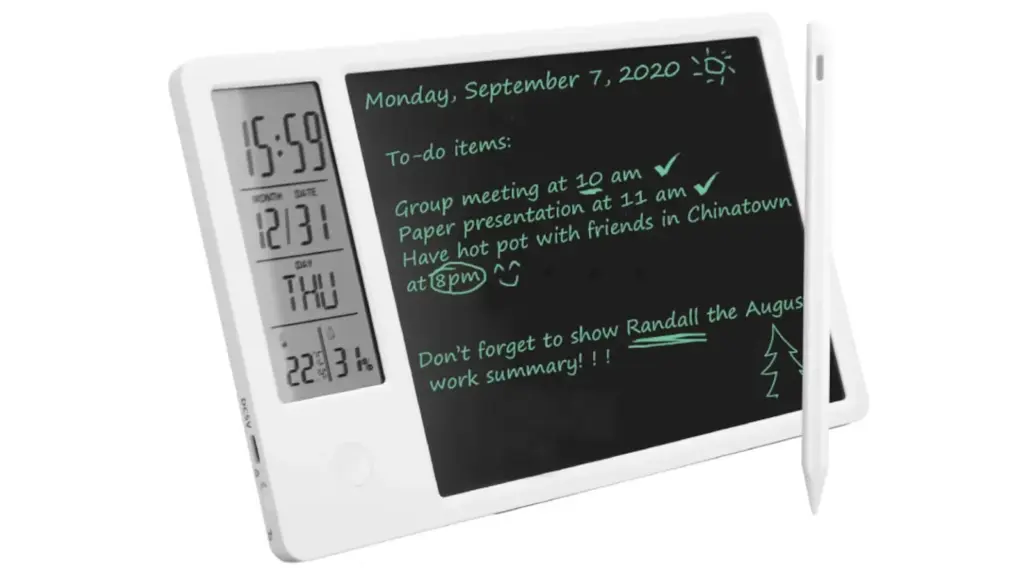
Who it is for: for those who want a multitasking digital planner.
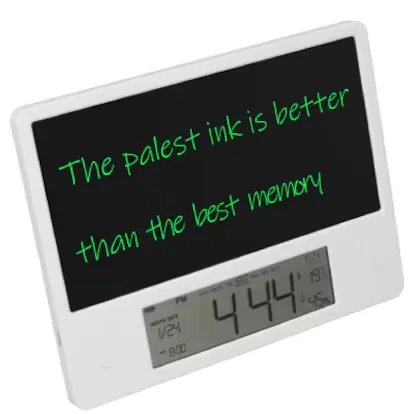
Why we recommend it: with a slightly higher price than the previous model, this digital planner is white and also has a small screen on the left side showing the time, month, date, day of the week, temperature, and humidity. In this case, it is also possible to set alarms. The 4-inch black LCD screen can be written on with a stylus pen.
During testing, the pen seemed very comfortable to use since you can write legibly and clearly on the screen with very little pressure. On the screen, I could write all work tasks plus other personal ones like the shopping list or household chores.
To erase what is written, just press a nearly invisible button on the front of the planner. It can also be used as a calendar without problems since the screen has enough surface for that.
The Yunir digital planner has a 120 mAh battery (with built-in cable) that offers good autonomy if not used all day. I did not have to charge it until after a week of use (it takes about an hour to fully charge). It also has a screen lock and unlock button.
This is very useful to save battery and also to prevent children from erasing something important written on the screen. In that case, and when my nephews came over, I found it practical because it is a device that attracts their attention a lot and I let them draw on it when nothing was written. With the pen, they could draw small drawings that looked very clear and well outlined.
Its weak points: the instruction manual is in English and quite brief.
Other interesting digital planners
If you want a planner that serves you year after year
If you want a planner with a large calendar: Fabater
Frequently asked questions about digital planners
What is a digital planner?
It is an electronic device designed to organize daily life without needing to use a paper planner. It allows creating and consulting calendars, noting tasks, setting reminders, managing appointments, or taking notes, all from a single screen. Some models also sync information with other devices or include a digital pen for handwriting.
What advantages does a digital planner have over a traditional planner?
Its main advantage is that it facilitates organization and avoids having to erase or rewrite information when plans change. Also, with many models, it is possible to program alerts, store a large number of notes, and consult content anytime. It also reduces paper use daily.
What should you look for before buying a digital planner?
It is advisable to consider aspects such as screen size, battery life, ease of use, storage capacity, and whether it is compatible with digital pens or calendar synchronization. It is also recommended to check if it allows exporting or backing up notes and if it offers additional functions like reminders, task lists, or connection with other devices.
[Remember that if you are an Amazon Prime user, all purchases have free shipping. Amazon offers a free, no-obligation 30-day trial period.]
*All purchase prices included in this article are updated as of September 11, 2026.
You can follow EL PAÍS ESCAPARATE on Instagram, or subscribe here to our Newsletter.
Read more San Marino GP of MotoGP, Moto2 and Moto3: schedules and where to watch the races