








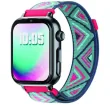
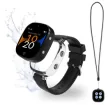
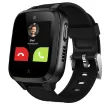
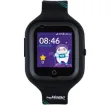
SaveWatch Plus 2 Watch
Robin Watch 2 Watch
Xplora Kidzi Watch
Space 2.O Watch
imoo Z1 Watch
VTech Watch
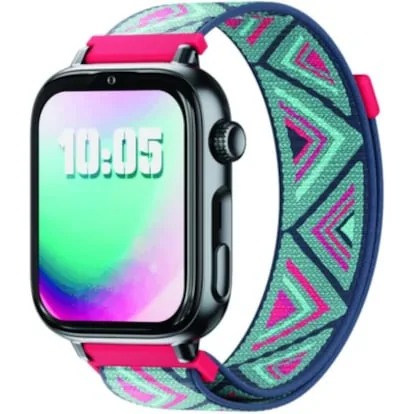
This is the best smartwatch for kids
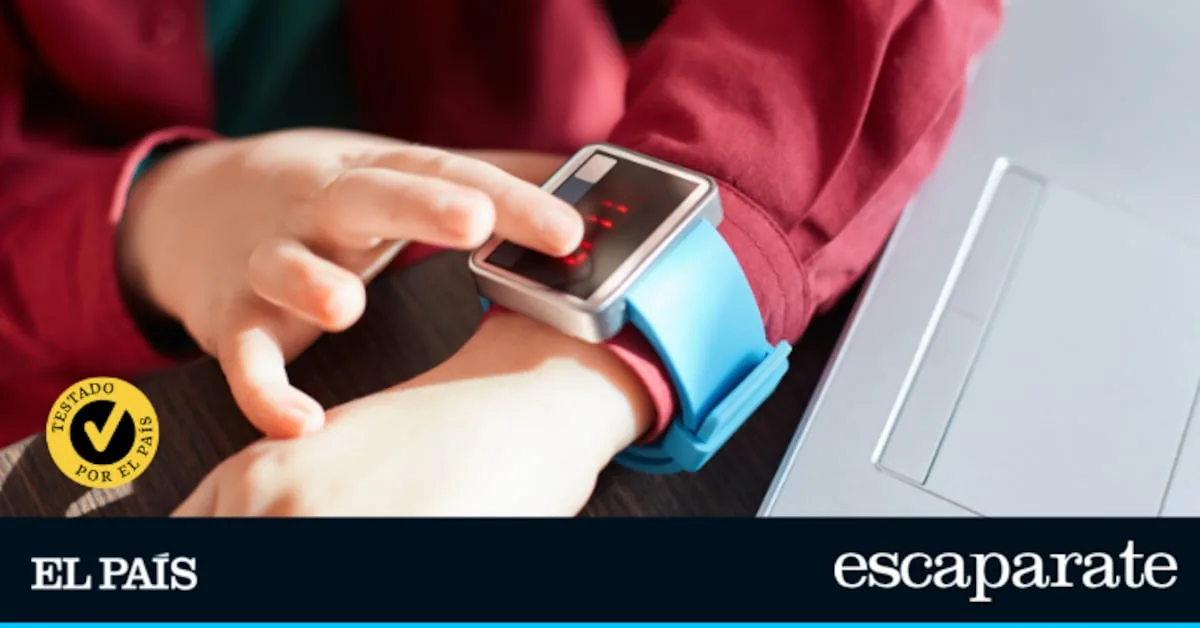
Smartwatches have become one of the star wearables in recent years. Their popularity is so great that they are no longer designed solely for adults, but companies have also launched models designed for the little ones.
Read more I try the latest eReaders and rank them from best to worst
Smartwatches for kids are broadly divided into two main groups. On one hand, there are those that function more like a toy, ideal for their first contact with technology in a fun way. On the other hand, there are smartwatches that allow calling, sending messages, or knowing where their owner is, which many families see as an alternative to delay the dreaded moment when their child asks for their first mobile phone. Choosing one or the other will mainly depend on the child’s age and what they want to use it for.
How we chose and tested the smartwatches
To carry out this comparison, the first thing I did was conduct research to select the most outstanding smartwatches for kids at the moment. From there, and with the help of my 13-year-old daughter, I tested each model for at least a week to check if it really meets the needs of those thinking about buying a kids’ smartwatch.
In the tests, I used a SIM card that I have as a secondary line — these watches are usually compatible with almost all operators — and I took the precaution of installing it with the PIN disabled. This detail is key because these models do not show a keyboard to enter it when you turn them on, and if the SIM keeps the PIN active, the smartwatch cannot be unlocked, which means there will be no signal, calls, data, or real-time GPS location. I must tell you that I used this SIM card with all except the VTech smartwatch which, as you will see in its analysis, proposes a different concept of a kids’ smartwatch.
The criteria I considered in each analysis were the following:
- Design: this aspect includes build quality and aesthetics, which must be attractive to the target audience.
- Ergonomics: comfort when wearing it.
- Battery life: as with any device powered by a battery, ideally you don’t have to be constantly watching the charger. However, battery life will always depend on the usage (more or less intensive) of the smartwatch.
- User experience: how the smartwatch performs day to day, if it fulfills its function, the parental control options it offers, its ability to manage notifications, games…
Why can you trust me?
I have been in tech journalism for two decades. During this time, I have had the privilege of witnessing how technology advances to make daily life easier and have been able to report it in various media. Although I have lost count of how many products have passed through my hands, I confess that the enthusiasm and feelings remain the same. Laptops, tablets, phones, cameras, activity trackers, smartwatches… I set no limits when choosing a device and make the most of its possibilities as a good tech consumer.
1) With built-in AI: SaveFamily SaveWatch Plus 2
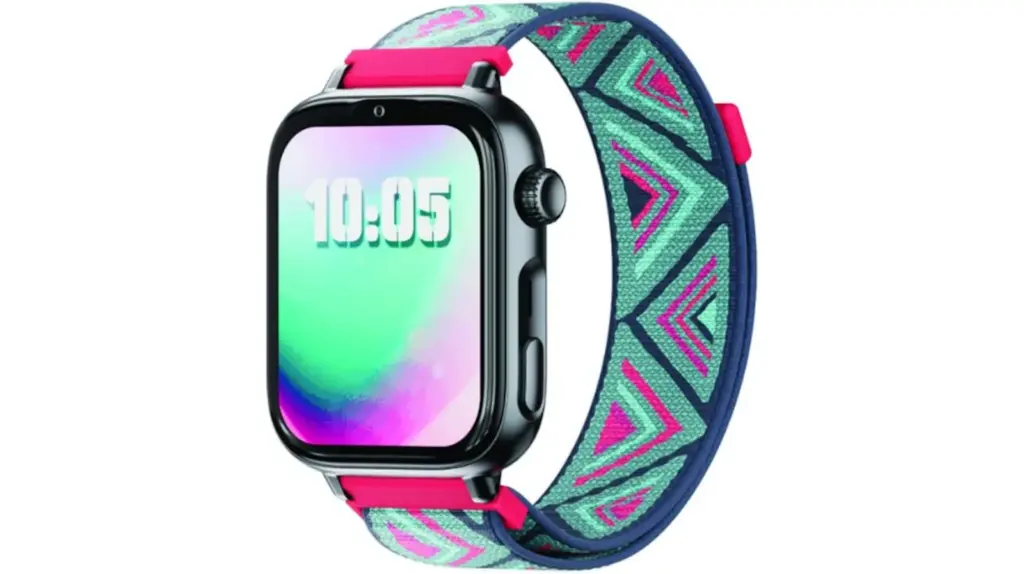
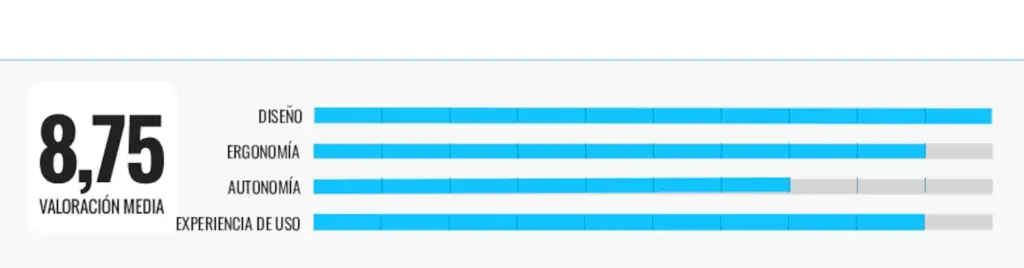
Who is it for: a smartwatch ideal for families looking for a balance between fun, learning, and parental supervision.
Why we recommend it: it comes with a strap that uses the same pin system as traditional watches. I liked that its design is water and dust resistant, and that the screen is protected with Gorilla Glass that enhances its durability.
I set it up through its mobile app by scanning the QR code on the box. On the home screen, I found shortcuts to support, profile, and available functions and settings. Among these functions, I created a calendar with all my daughter’s activities and added certain contacts to her agenda. I also configured ‘Do Not Disturb’ mode so certain functions remained blocked during her classes (keeping only GPS and SOS mode active) and checked the physical activity performed. From the settings, it is also possible to set an alarm and block certain phone numbers. The GPS location section allows knowing the exact location of the watch at all times.
But one of the most interesting and curious extras I found is that it has an AI that resembles adult chatbots: it answers questions both in writing and by voice, adapting its messages to be fun and understandable for children. The interaction process is simple, although dictating questions is more practical than using the small keyboard. I also want to highlight the Questia quiz game, which also helps train reflexes.
Its weak points: the battery needs to be charged almost daily and the SIM tray can be removed with a fingernail. To get the most out of the device, it is recommended to subscribe to the SaveFamily Plan.
| TECHNICAL SHEET |
|---|
| Design: IP68 certification |
| Screen: AMOLED, 1.96 inches, Corning Gorilla protection |
| App: SaveFamily |
| Health: heart rate, pedometer, sleep |
| Others: 2-megapixel camera, Spotify, WhatsApp, geolocation, SOS button, calls, video calls, ‘Class’ mode, AI, define safe zones, route history, music, voice recorder, QUESTIA game, several models to choose from… |
2) Modular design: Robin Watch 2
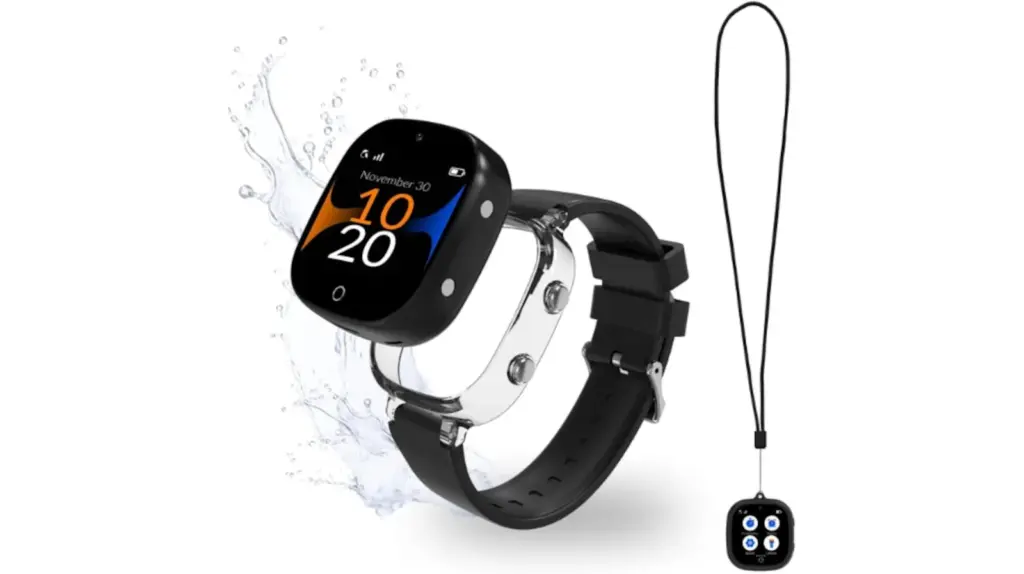
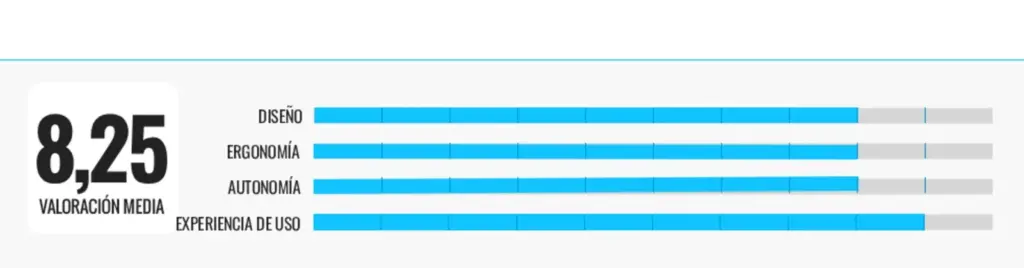
Who is it for: if you are interested in a simple model, without Internet access and that stands out for its performance, keep reading!
Why we recommend it: I linked it to the RobinGen app from which I adjusted the watch settings, set notifications, defined safe areas, and managed authorized contacts for calls. For everything to work properly, you need, as I mentioned before, a SIM card. Here the options are two: have it sent unlocked (i.e., without SIM) or subscribe to a manufacturer plan, which can be monthly or yearly, in which case the card would already be included. In my case, I chose the first option and used a test line I have with voice and data. I like this option because it allows you to choose the SIM you prefer and usually you don’t need to opt for the most expensive: the cheaper ones usually work perfectly.
During the tests, the GPS signal was never lost, which allowed me to thoroughly track my daughter’s movements in real time without problems. Meanwhile, in calls, the voice is heard clearly and the speaker is powerful enough for the interlocutor to hear you without issues. It incorporates protectors that reinforce the structure and cushion shocks, adding extra durability to the design.
Its weak points: if the environment is very noisy, quite a bit of sound ‘leaks’ during calls.
| TECHNICAL SHEET |
|---|
| Design: protection against short baths and shower |
| App: RobinGen |
| Health: pedometer |
| Others: audio and text messages, real-time location, 4G calls, preconfigured agenda, ‘Do Not Disturb’ mode, flashlight, calculator, alarm, SOS button, stopwatch, automatic filtering of unauthorized numbers, in various colors |
3) Magnetic charging cable: Xplora Kidzi
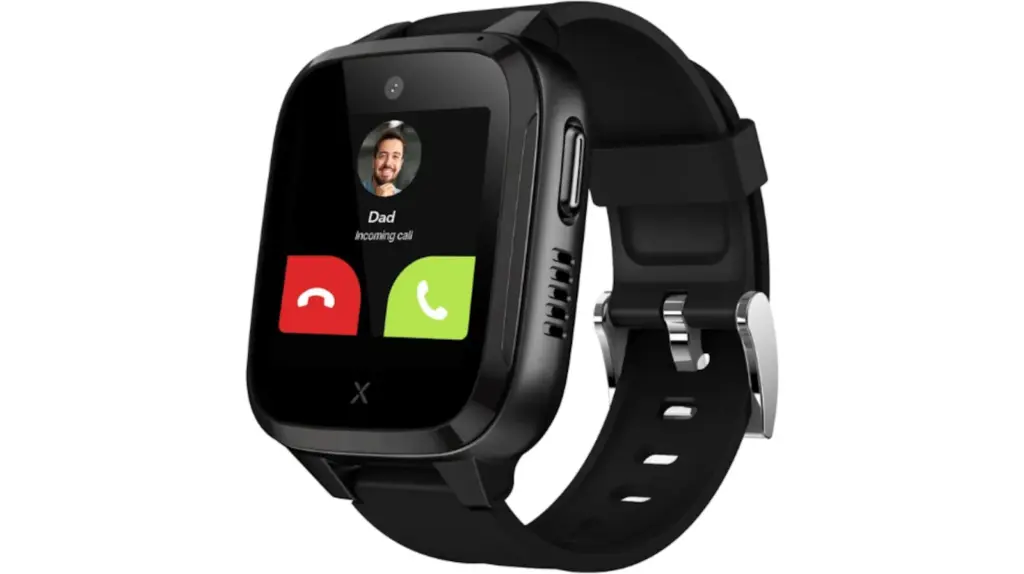
Who is it for: are you looking for a kids’ smartwatch that motivates your child with challenges? This model offers it.
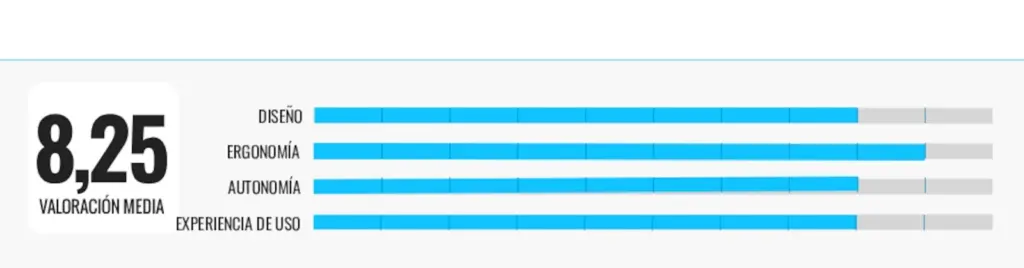
Why we recommend it: like the other smartwatches, it combines durability and a design that avoids a childish style, leaning more towards adult style, with a rounded case and a color screen of contained size.
Regarding the app, you register with an account and add the contacts you want to authorize. From this, not only is who can call or send messages managed, but you create safe zones and configure alerts if the watch leaves the defined zone; in one test, I received an automatic notification indicating that the watch had left the perimeter defined as ‘school’.
The GPS and location accuracy of the watch deserve a small note: the device combines several systems to locate the child in real time, and outdoors it works quite reliably. However, as with any compact GPS device, accuracy can vary depending on mobile coverage and the presence of nearby buildings. On open street routes, it is usually accurate enough to know, for example, that the child is ‘on X street, about 100–200 meters away’. Indoors, such as malls or very tall buildings, the watch continues to provide approximate information, but the position is not as exact as on the street: this explains why it seems to move slightly, although it actually remains still. It incorporates a pedometer that has a reward system to unlock challenges and games.
Its weak points: a subscription plan is required to take full advantage of its potential.
| TECHNICAL SHEET |
|---|
| Design: IP68 rating |
| Screen: 1.3-inch TFT |
| App: Xplora |
| Health: pedometer |
| Others: SOS button, various colors, GPS, calls, messages, safe zones, camera, ‘Class’ mode, pre-installed Xplora Connect SIM card |
4) In pink and black: SoyMomo Space 2.O
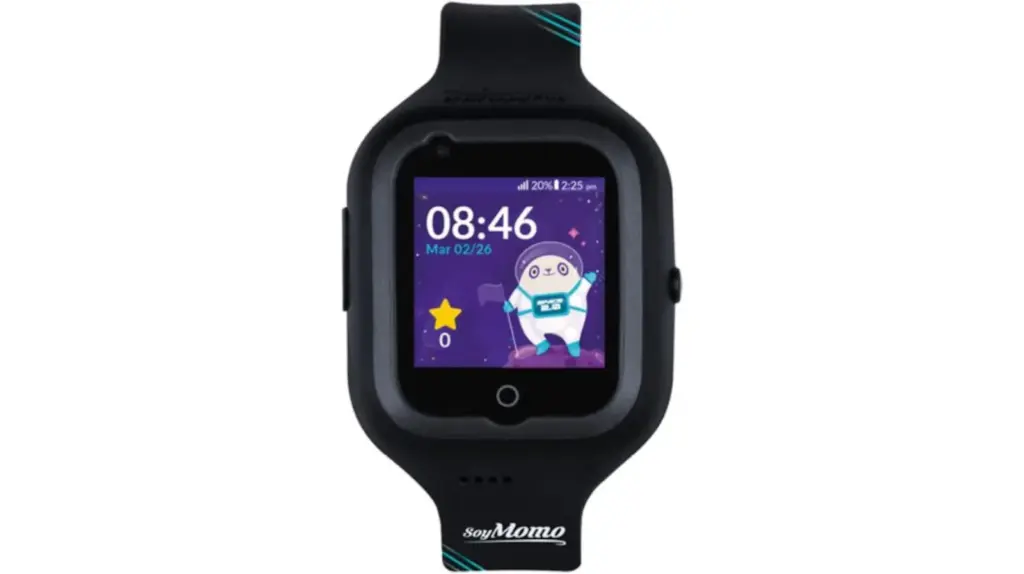
Who is it for: Families who highly value safety and parental control but do not want to spend more than 100 euros.
Read more An explosion at a fireworks factory in China causes at least 21 deaths
Why we recommend it: I paired it with the parent app in just a few minutes and from that moment I had access to the location map, contact list, and all its communication functions. During the tests, the GPS offered the reliability I was looking for: the location updated almost instantly in the app, with no noticeable delays and with enough accuracy to know if my daughter, for example, had arrived at or left school.
Calls and video calls perform satisfactorily, although it is worth noting that the microphone works better when there is not too much ambient noise; in noisier situations, it is advisable to bring the watch closer to the mouth. On the other hand, security is reinforced with functions such as ‘Block unknowns’ and the SOS button for emergencies, all managed from the mobile app linked to the watch and common in these models. One of the most interesting and curious additions of this app is the ‘Friends’ function, which allows minors to send voice messages or photos among contacts who also use a SoyMomo Space 2.0. Regarding its durability, the IP67 certification guarantees it withstands splashes without problem.
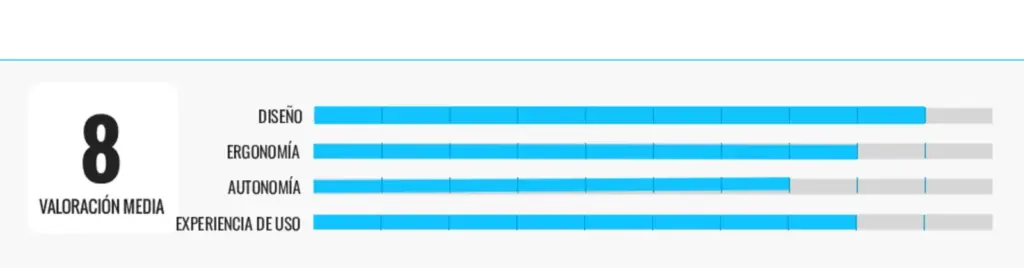
Its weak points: battery management can be improved and although the GPS performs well, its accuracy suffers in areas with many tall buildings. A subscription plan is required to enjoy all its functions.
| TECHNICAL SHEET |
|---|
| Design: includes shockproof system, water resistance IP67 |
| Screen: 1.4 inches |
| Health: pedometer |
| App: SoyMomo |
| Others: calls, text messages, video calls, encrypted communication, GPS, location history, sets reminders and alarm, establishes safe zones, blocks unknowns, SOS button, Class mode, in various colors |
5) HD front camera: imoo Z1
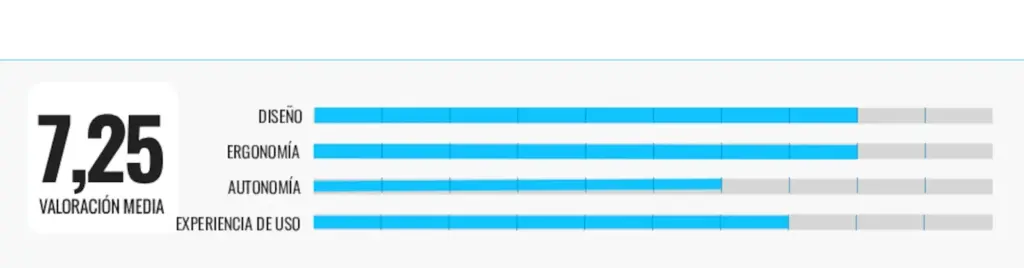
Who is it for: ideal for parents who want a kids’ smartwatch without extra costs or subscription needs.
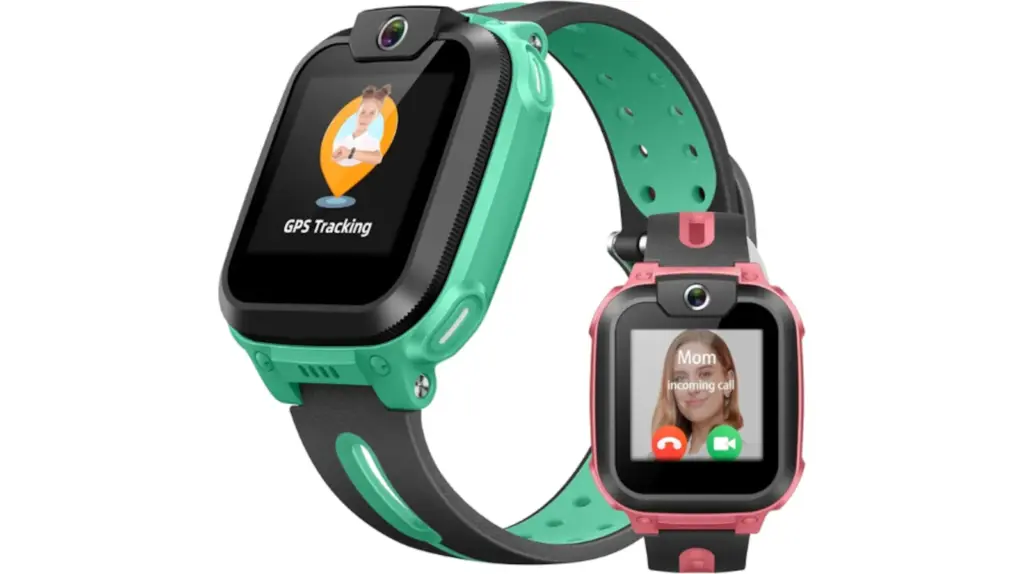
Why we recommend it: the first contact was satisfactory: the ergonomics are well worked and the screen offers a clear and sharp display. It also has IPX8 water resistance, so it is not damaged if the child washes their hands with it or uses it in light rain.
The experience with the app and parental control system is satisfactory and as expected in a watch of this type, although its features are slightly below other kids’ models. Among the functions I used most with my daughter are family chat, voice calls, and video calls. The camera is two megapixels resolution and, although limited, offers acceptable images for this type of communication. Meanwhile, the GPS location is reliable and security functions, such as ‘Class’ mode and blocking calls from unknown contacts, work perfectly.
Its weak points: some days the battery does not last all day. Occasionally the device locks up and heats up more than usual with intensive use.
| TECHNICAL SHEET |
|---|
| Design: IPX8 rating |
| Screen: 1.3-inch TFT |
| App: imoo |
| Health: pedometer |
| Others: video calls and HD photos, GPS, ‘Class’ mode, blocking unknown contacts, sending text messages, 2-megapixel camera resolution, various colors |
6) All fun: VTech KidiZoom DX4
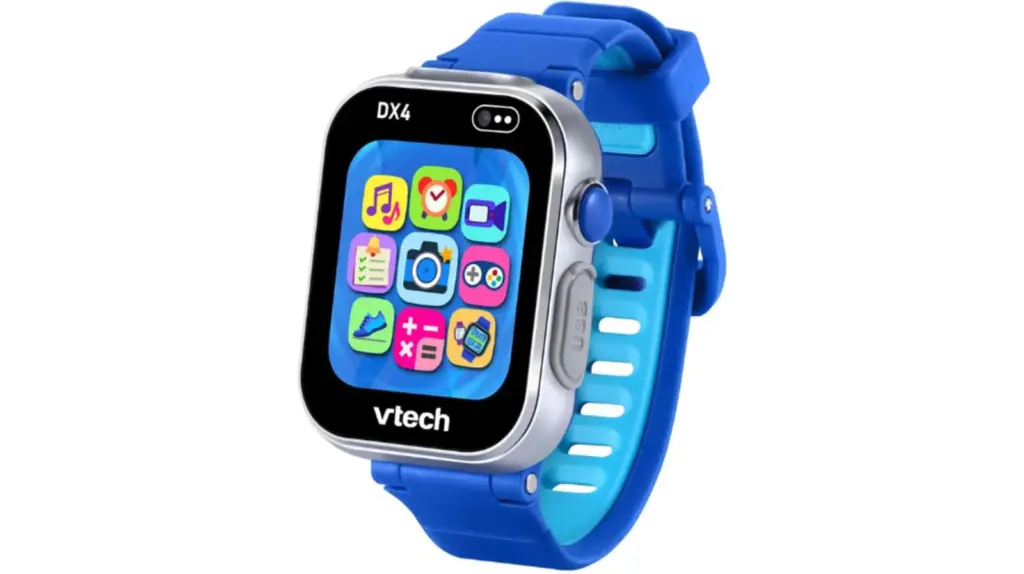
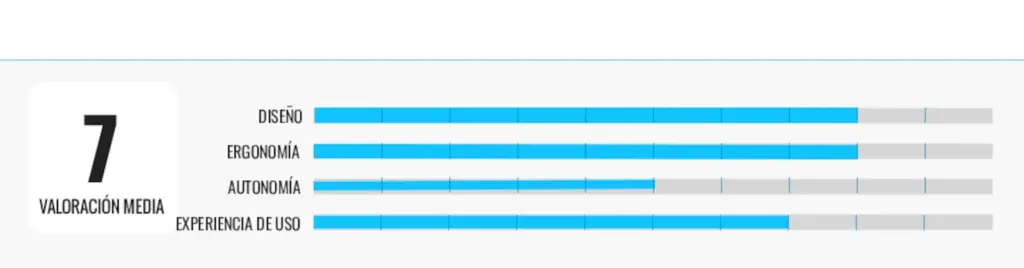
Who is it for: if you have young children and want to gift them their first smartwatch, this option will not disappoint you.
Why we recommend it: I still remember the almost hypnotic look of my nephew Martín (he is almost 5 years old) the day he came to my house and discovered this smartwatch. He was fascinated from the first moment. And although the concept of this model is completely different from the rest, this does not prevent it from shining; especially if what you are looking for is for the little ones at home to start getting familiar with technology through play and exploration.
It has a durable plastic design ideal for the target audience and its color touchscreen responds quickly enough not to frustrate the experience. The photos and videos we took together through its cameras have basic quality, but this took a back seat when I saw how enthusiastically he reviewed all this material in the gallery. The same happened with the voice recorder, which allows recording up to one minute of audio and applying different effects.
We also used (among others) its pedometer, timer, calculator, and an agenda with reminders (for example, we organized his extracurricular activities and meal times). I even encouraged him to create personalized watch faces and compose small musical pieces to awaken his creativity. Then there are the games. They are varied: from puzzles built with our own photos to mental speed games including small challenges, among others.
Its weak points: the battery charging process is too slow and the battery life could be better, as with intensive use it does not last the whole day.
| TECHNICAL SHEET |
|---|
| Design: splash and shock resistant |
| Screen: color touchscreen, 1.69 inches |
| Others: in blue and raspberry, from 4 years old, two cameras (one for selfies, one on top), 256 GB internal memory, games to train mental speed (reaction and concentration, interactive with answers…), voice reminders, alarms, USB charging, microphone, option to connect with another KidiZoom Smartwatch DX4 to play, downloads from Explor@ Park with free and paid content. |
Other interesting kids’ smartwatch models
If you are looking for a smartwatch with triple location technology
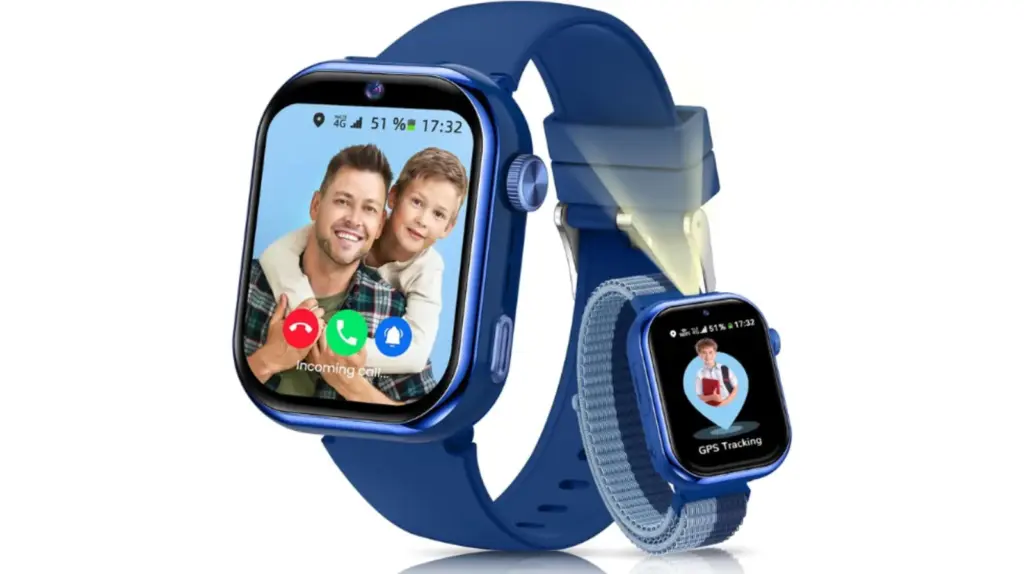
The Whraills model offers you this feature. It also supports calls and voice chat, video calls, SMS messages, flashlight, and a mode to disable apps.
Frequently asked questions about kids’ smartwatches
What is a kids’ smartwatch and what is it for?
A kids’ smartwatch is a device designed so that the little ones stay in contact with their parents, send voice or text messages, make calls, and in many cases, be located via GPS. Its main purpose is to combine safety, entertainment, and parental supervision, without the child needing a conventional mobile phone.
Are kids’ smartwatches safe?
Generally yes, as long as they are properly configured. They usually include features such as limiting who can call or send messages, SOS emergency button, GPS tracking, and blocking unknown numbers. Still, it is advisable to supervise their use and keep the software updated to ensure the best protection.
Can apps or games be used on kids’ smartwatches?
It depends on the chosen model. Some watches offer only basic communication and educational tools, while others integrate additional games and educational apps. The most complete models allow installing apps in a limited way, always under parental supervision.
What is the main advantage of a smartwatch over a mobile phone?
It provides reliable communication and location, reducing distractions and avoiding any access to inappropriate content. For parents, it is a safe contact channel and an easy way to supervise daily activity, while for the child it represents controlled independence without having to switch to a smartphone.
[Remember that if you are an Amazon Prime user, all purchases have free shipping. Amazon offers a free and no-obligation trial period for 30 days.]
*All purchase prices included in this article are updated as of May 5, 2026.
You can follow EL PAÍS ESCAPARATE on Instagram, or subscribe here to our Newsletter.