








iSmartGate Pro
Smart Wi-Fi Garage Door Opener MSG100
Smart Opener for Gates
Smart Wi-Fi Garage Door Controller
The best garage door automator
Garage doors have also made the leap to home automation just like bulbs and locks have. Thanks to smart automators, it is possible to control them from your phone, check if they were left open when leaving home, or allow remote access without using the traditional remote; they even automate opening and closing or send notifications every time they are used.
Read more Video analysis | The Colombian right finds in Abelardo de la Espriella a new leader
The interesting thing is that it is not necessary to replace the installation you have at home to enjoy these and other functions. In most cases, it is enough to install a small smart controller on the motor of your door to transform the traditional garage into a connected and safer one.
How we chose and tested the products
To make this comparison, I researched which brands I could include and, after selecting the models, I set out to test them on my parents’ automated garage door. While preparing everything, I realized that the installation process depends a lot on the type of motor you already have installed on the door. In my case, I had to open its automation unit and check how the whole system was powered before starting to connect anything because not all devices work the same way.
I found two typical configurations: on one hand, motors that work at 220 V (Garza Smart, Meross, and Smartgate devices) powered like any normal household outlet, and on the other hand, more professional systems that operate at 24 V (Yale’s proposal): here the power does not come directly from the electrical network but through a transformer or directly taken from the motor’s own board.
In this type of garage door automators, it is also key to keep in mind that all operate on the 2.4 GHz WiFi band and need a stable Wi-Fi signal to avoid disconnections or response problems.
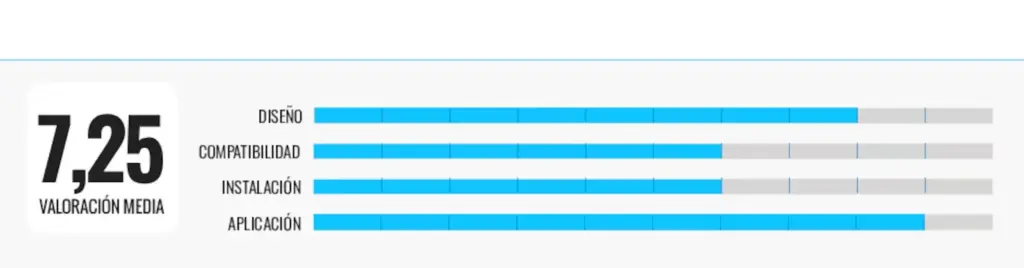
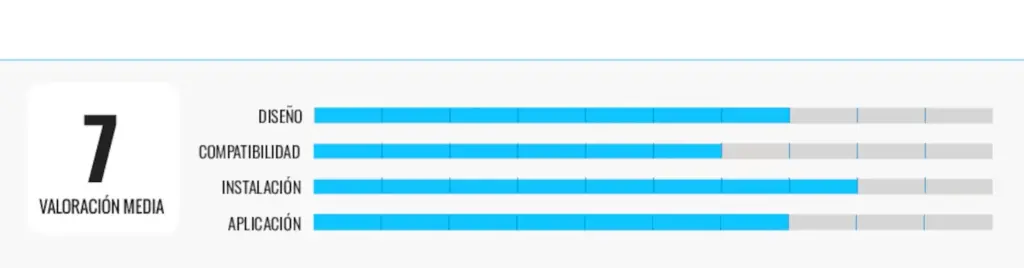
The criteria I considered in each analysis were the following:
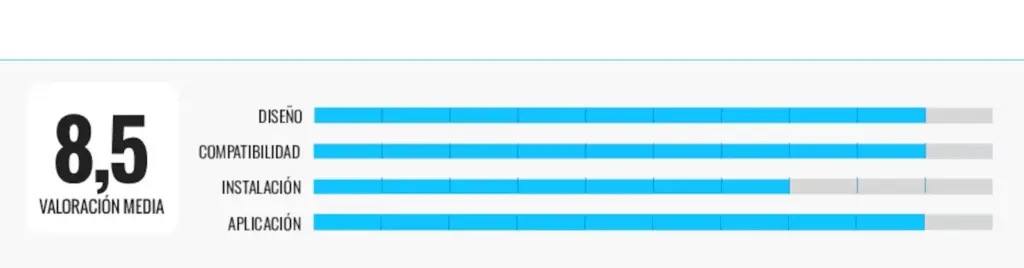
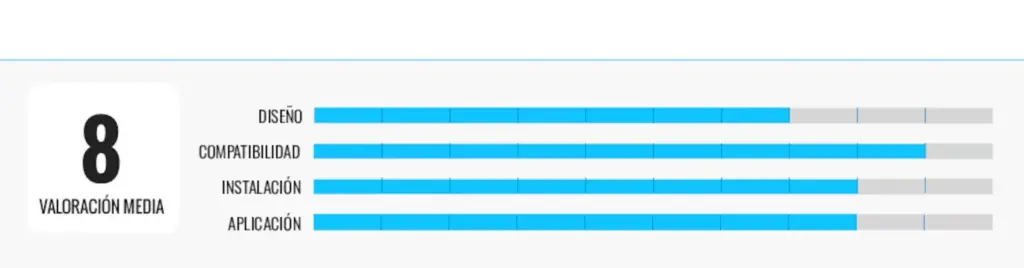
- Design: from the point of view of manufacturing quality.
- Compatibility options. Both with doors and remote controls, as well as with services like Alexa, Siri, or Google Assistant.
- Installation: the connection logic is usually quite similar in all these systems because they do not actually power the motor directly but simulate pressing an open button. Still, I noticed differences during installation. If you have basic electrical knowledge, you probably won’t have many problems, but if you are not used to reading diagrams or identifying connections, the process can get quite complicated.
- App: how its interface is and the different options it includes.
Why can you trust me?
I have been in tech journalism for two decades. During this time, I have had the privilege of witnessing how technology advances to make daily life easier and have been able to report it in various media. Although I have lost count of how many products have passed through my hands, I confess that the enthusiasm and feelings remain the same. Laptops, tablets, phones, cameras, fitness bands, smartwatches… I set no limits when choosing a device and maximizing its possibilities as a true tech consumer.
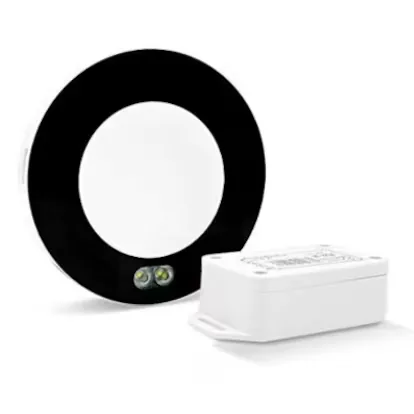
Built-in LED lights: iSmartgate Pro
Who is it for: an interesting alternative if you want an advanced automator.
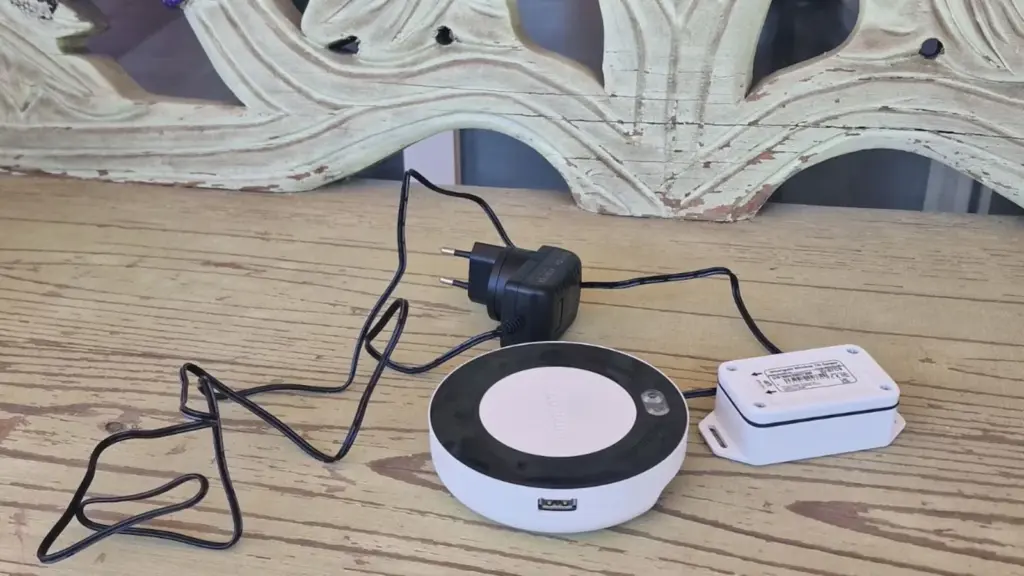
Why we chose it: its design is circular and bulky, and the first thing I noticed was the ring of LED lights surrounding it: it allows you to know the device’s status since each color represents a function. The blue LED informs about the Wi-Fi connection, the green verifies that communication with the door sensor is correct, and the yellow-green indicates confirmation of open or close commands. I liked the idea because you know what is happening at all times if you don’t want to keep using the mobile app. As a complement, it integrates a small speaker that emits sound alerts before the door moves. Along with the main device I installed (as with the others, I asked for help), I had to attach a wireless door sensor (included in the box) with adhesive to the door leaf.
Following the manufacturer’s recommendations on their website, before installation, I configured the app to pair it via Wi-Fi and link it to an email address. After completing this process, I received an email confirming that I had successfully registered as the device administrator and had full control over the opening system. It also details the available functions: open and close the door remotely from the app, manage users by adding or removing permissions, receive real-time notifications when the door opens, closes, or remains open, and check the event history in an integrated calendar. It even reminds you that you can activate a video plugin if you have a compatible camera to integrate a real-time image within the app and associate it with door control.
Its weaknesses: it is the highest-priced option, and the lack of a manual in the box forces you to look for information or solve doubts online.
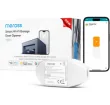
Compatible with over 200 brands: Meross Smart Wi-Fi Garage Door Opener MSG100
Who is it for: if you want an economical but effective solution that is also compatible with the Apple HomeKit ecosystem.
Why we chose it: glancing quickly at its box, its compatibility with Apple HomeKit caught my attention, an interesting extra because it expands control options within the Apple ecosystem, allowing you to manage the door from the Home app and via Siri. Also, its integration into the Apple ecosystem extends even to CarPlay.
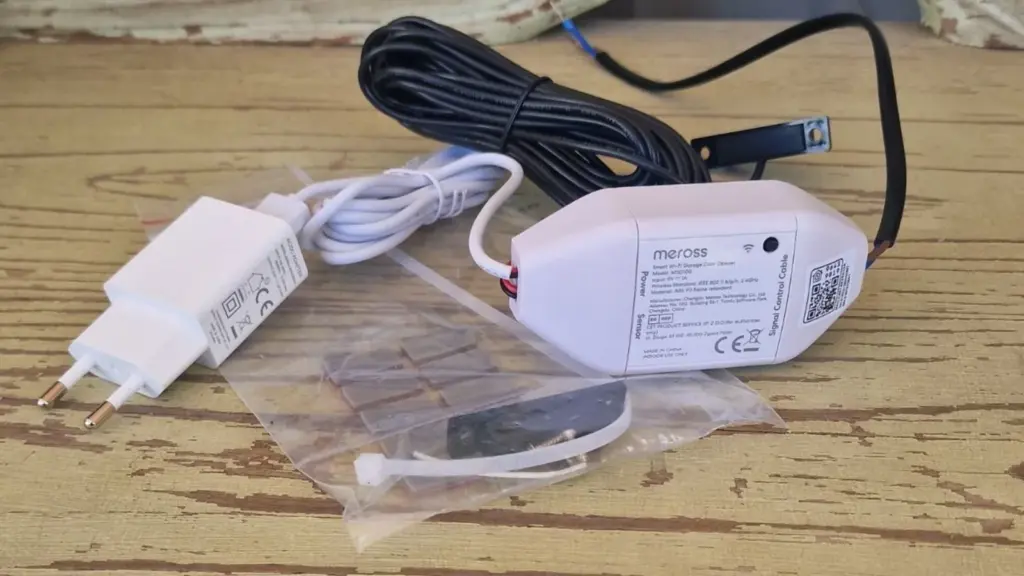
Reviewing everything it includes before starting installation, I noticed a small white cable that goes unnoticed but is important. Investigating, I found it is used to check if our door motor is compatible with the device. In this regard, the Meross app includes a list where you can select the brand and model of the garage motor. If it appears on the list, perfect. Otherwise, the app tells you how to do a small test with this cable to verify if it would work.
My impressions of the installation process are similar to the others: in my case, I asked for help because I don’t have much knowledge about these topics; however, I recognize that the instructions available on paper and in Spanish, along with the step-by-step guidance in the app, helped me solve doubts. Speaking of the app, it meets what you expect from a product of this kind. For example, the open and close notifications work well, and the automatic closing provides peace of mind when the door is left open by mistake.
Its weaknesses: sometimes, the app took a few seconds longer to respond than I would have liked.
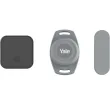
With security encryption: Yale Smart Opener for Gates
Who is it for: intended for users who already have Yale devices and want to centralize all home control in a single app.
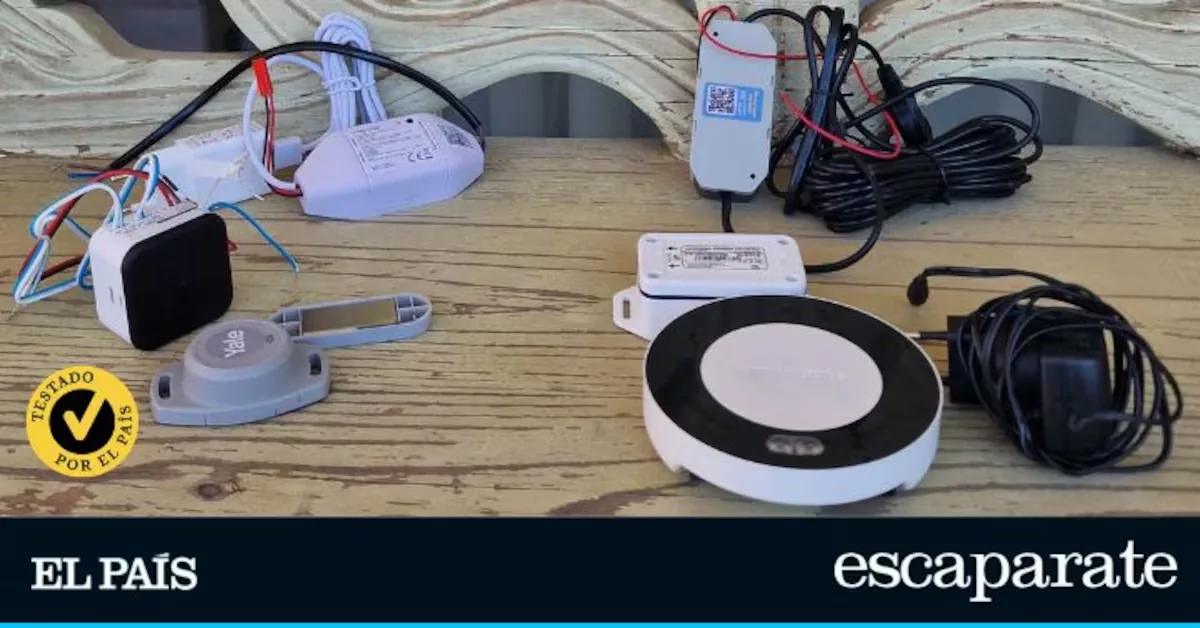
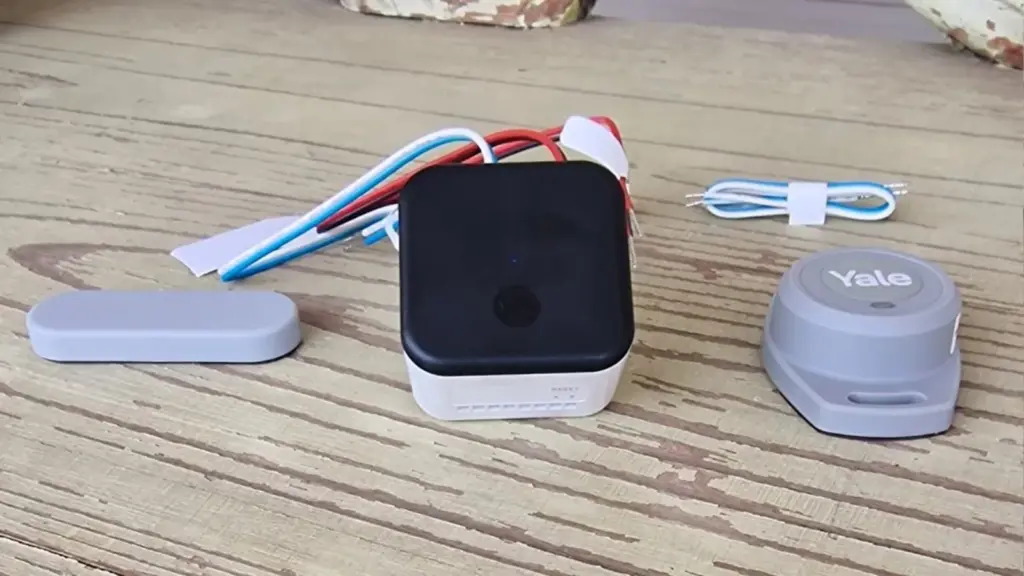
Why we chose it: its assembly is completely different from the Garza and Meross models. It is a kit made up of three elements that work together. On one hand, there is the main module, which is the unit I had to connect to the door motor by wiring and which, in practice, is the brain of the system; besides managing opening and closing, it also maintains communication with the Yale Home app, from where everything is controlled. On the other hand, there is the position or opening sensor that detects if the door is open or closed: it is installed on the door’s own structure, and I was surprised by the size of the button battery it uses (included) because it is larger and thicker than usual. Since it is glued, its installation is very simple.
Read more A nihilist cat who smoked marijuana and sought sex: ‘Fritz’, the first animated film rated X
The operation of this kit is completed with a small magnet that I placed on the moving part of the door and that serves as a physical reference so the system accurately detects each state change.
The user experience with the app is satisfactory. Its interface is clear, easy to understand, and practical. With options similar to other apps of this type, one of the most interesting points is access management, as it allows creating and managing permissions for different users flexibly. In these cases, door control is shared through virtual keys that assign access.
Its weaknesses: although I could consult the doubts I had during installation on the Internet, no manual is included in the box. I had to make several attempts to link it with its app, as I got several errors during the process.
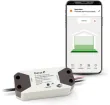
Dust protection: Garza Smart Wi-Fi Garage Door Controller
Who is it for: home users who want a simple and functional solution.
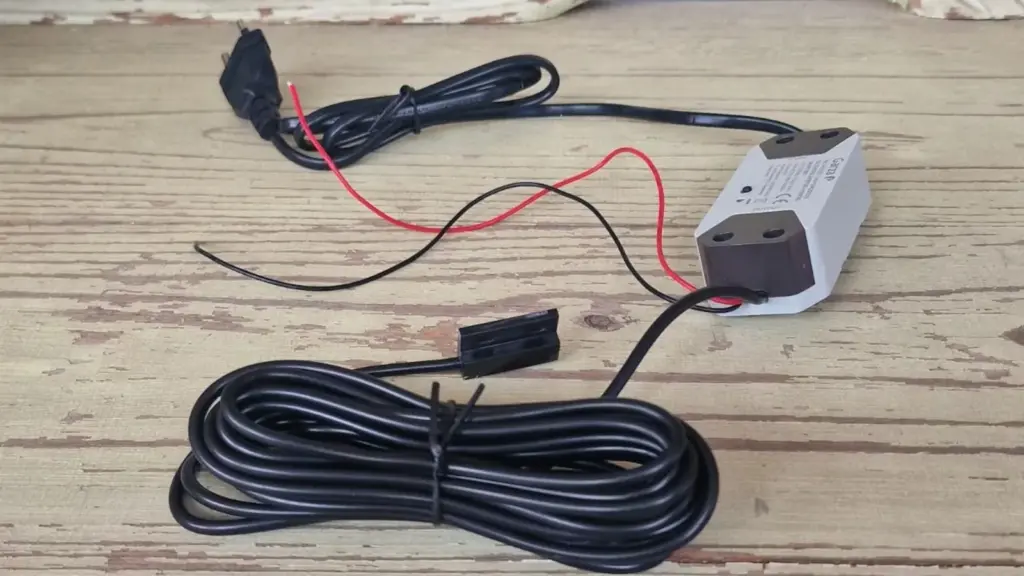
Why we chose it: on one side of its box, the manufacturer highlights the compatibility of its model with different motors and brands on the market such as Chamberlain, Liftmaster, Nice, Hormann, Came, or FAAC. This is very useful because it quickly resolves the doubt of whether you can use it with your garage door. As with the others, inside this box you have everything needed to complete the installation.
Consulting the instructions through Garza’s website, two possible scenarios are presented: garages with a physical switch connected to the motor and others that do not have it, so the process varies slightly depending on your installation. In my case, I had to ask for help because I had never handled a garage motor before, but if you have minimal electrical skills, you can handle it without problems.
To use the Garza Smart app and link it to the controller, I registered and created a user account. Then, it asks you to configure what it calls ‘family,’ which basically acts as the central space from which all smart devices of this brand like cameras, plugs, bulbs… are organized and controlled. For this, I put the device in sync mode and held down the power button until a blue LED started blinking rapidly and followed the assistant’s steps. I liked the app for its simplicity: you open and close the door with a tap, check the activity history, and see in real time if it remains open or closed whenever you want. It also includes a timer, a countdown function, and the option to set additional alerts if it remains open for too long.
Its weaknesses: its smart functions are more limited compared to other more advanced apps.
Other interesting garage door automator models
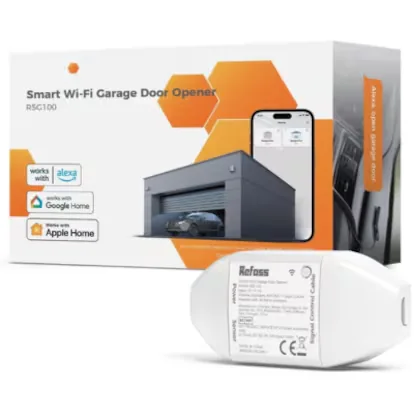
If you are looking for an economical garage door automator compatible with Alexa, Google Home, and Carplay
Frequently asked questions about garage door automators
What is a garage door automator?
It is a device that manages the opening and closing of the garage remotely, from a mobile phone or through home automation systems.
How does it work?
By connecting to the existing door motor and sending open or close commands via a mobile app, either by WiFi or Bluetooth. The user can use it as a replacement or complement to the conventional remote.
Are they safe?
Yes. They usually incorporate security protocols such as encryption and user authentication, although it is advisable to choose trusted manufacturers and keep the system always updated.
What type of installation do they require?
Generally, their installation is relatively simple: they integrate directly into the garage motor without the need for construction or structural changes.
Do they work with any type of garage door?
They are compatible with most motorized systems, although it is always advisable to verify this compatibility with the specific model.
What maintenance do they need?
They require minimal maintenance. Keep the app or system updated and occasionally check that the connection and operation are correct.
*All purchase prices included in this article are updated as of June 1, 2026.
You can follow EL PAÍS ESCAPARATE on Instagram, or subscribe here to our Newsletter.
Read more Latest political news, live