








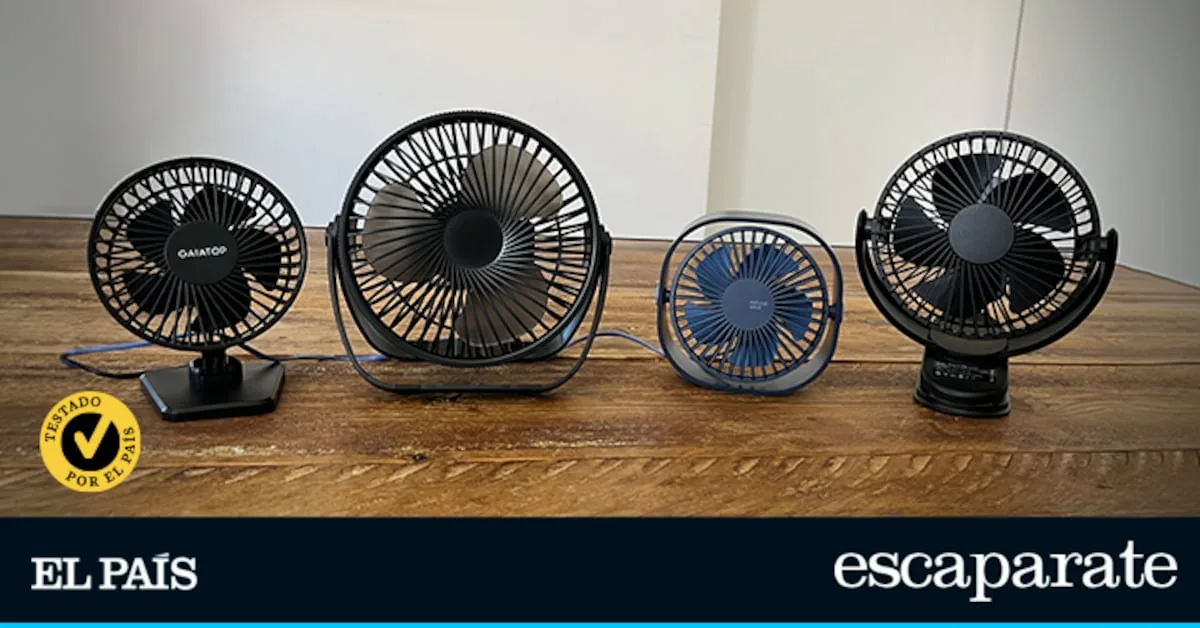
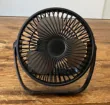
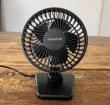
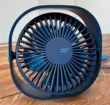
ATEngeus USB Fan Clip
Esvyit USB Fan
Gaiatop USB Desk Fan
Simpeak Mini USB Fan
Best USB desktop fan
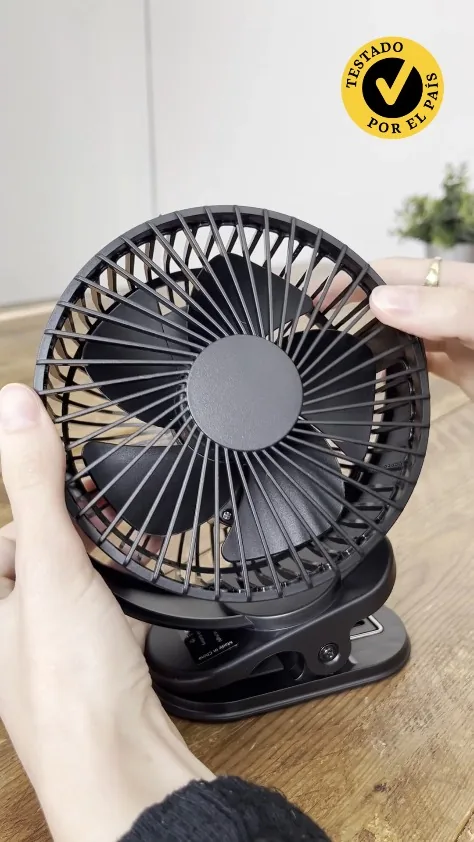
Summer arrives loaded with sun, ice cream, and relentless heat, and to combat it, smart ceiling fans and portable air conditioners become essential allies. It is common to imagine medium or large-sized devices, plugged into the power outlet and occupying a fixed spot at home or in the office. But they are not the only option: USB fans are gaining followers thanks to their portable design, lightness, and the convenience of being able to connect them directly to the computer. That is why at EL PAÍS Escaparate we have tested four models to choose the best.
Which USB fans have we chosen and how have we tested them?
Most of the USB desktop fans we found on the market share very similar characteristics in terms of speed and power. Still, we included a model with different capacity to contrast it with more powerful ones. Likewise, we chose versions without internal batteries to compare their practicality and effectiveness. Therefore, the four selected fans are: ATEngeus, Esvyit, Gaiatop, and Simpeak.
To test these USB fans, we started by evaluating their basic operation, with on and off tests, to check the response of the buttons and ease of use in daily life. We also verified their compatibility by connecting them to different devices —computers, power adapters, and external batteries— to ensure they work correctly in different scenarios.
Over several days, we analyzed the energy duration in those models with rechargeable batteries to observe how long they last at each speed level. Finally, we performed small resistance tests, simulating accidental falls from the table, to check the solidity of the materials and their behavior under everyday use.
Why can you trust me?
I am a journalist specialized in product analysis and, in recent years, I have tested and compared dozens of devices and accessories for media like El País. My way of evaluating starts from something very specific: understanding what a product really offers in relation to its cost. Not only in punctual tests but also in everyday use, because that is where the details that make the difference are perceived. Beyond the specifications, I am interested in how it performs in practice, how consistent it is over time, and what limitations appear when you integrate it into your routine. Because, in the end, a good product is not the flashiest, but the one that best justifies its price day to day. That is the criterion with which I build each recommendation.
Which USB fan was the winner?
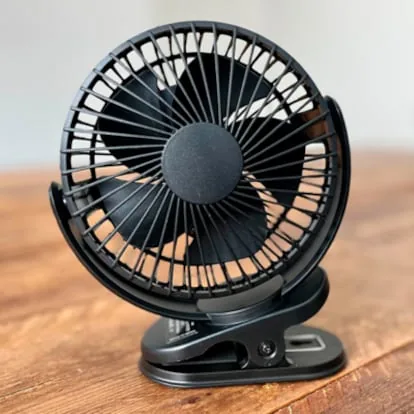
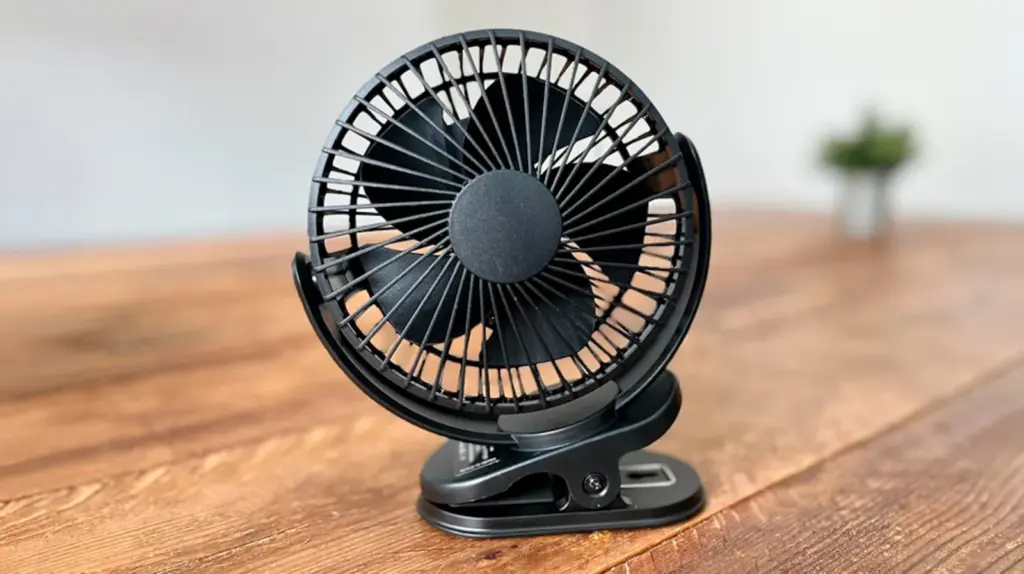
The ATEngeus USB fan is the most complete in the comparison due to its power, versatility, and autonomy. Its firm clip and fully adjustable head allow it to be used in almost any situation, while its three speeds offer a notable airflow, although the noise level and the rear button could be improved.
Is it refreshing?
Although it is one of the largest and heaviest models in the comparison, I was able to place the ATEngeus USB fan anywhere: on the desk, on the nightstand, on a tilted shelf while exercising… All thanks to the clip included at its base, which held firmly and without wobbling on all surfaces where I placed it.
At the lowest speed, I already found it offers a good airflow to use while working, but its two additional levels make a difference. At maximum speed, I would have sworn it was a larger desktop fan. And although it does not have automatic oscillation, another of its strong points is its head, which I literally could rotate in all directions. Its rotation allowed me to aim the air exactly where I wanted without moving the whole fan.
When I used it after charging, I also noticed its great autonomy —it can be used with a USB cable or with its rechargeable battery—. I was able to keep it on throughout the workday at the first speed level, as the battery lasted an entire day. At the second level, useful especially while exercising, it lasted between eight or nine hours; and at the highest —only suitable for those who are very hot— about five or six hours.
The sound, on the other hand, is not its strong point, as other models, like the Esvyit, are quieter; but it is not annoying either. What should be noted is that the power button is somewhat stiff and located at the back, which can be uncomfortable to press if the fan is hanging or fixed in a high place.
Why do we recommend it?
The best:
- Its clip allows it to be attached to any surface.
- Good airflow, even at low speeds.
- Battery with great autonomy.
- Automatic oscillation.
- Adjustable tilt and rotation.
To improve:
- It is bigger and heavier than others.
- Less quiet than other models.
- Power button somewhat stiff.
Other alternatives to the best USB desktop fan
Portable USB fan Esvyit
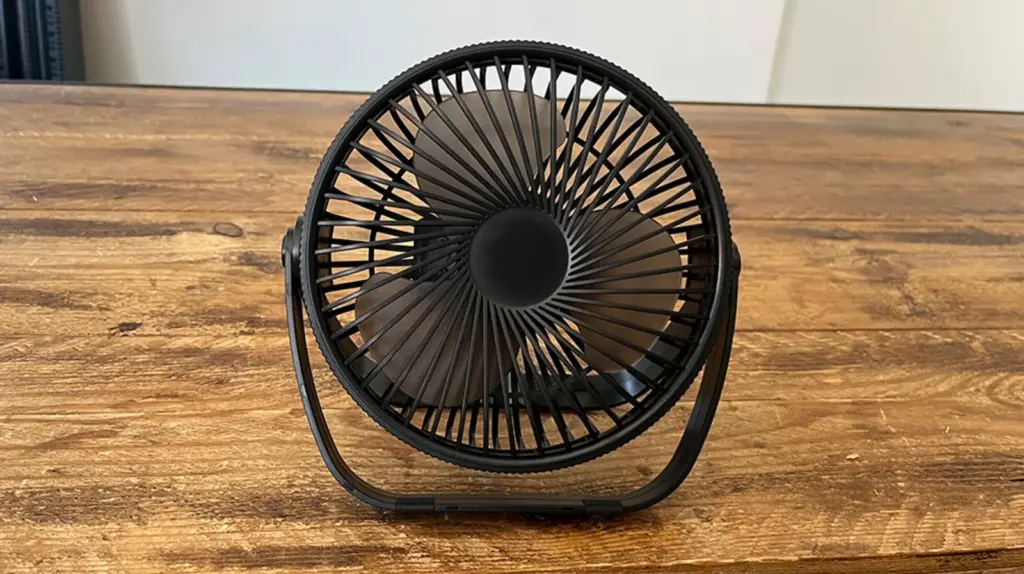
The best thing about the Esvyit USB fan is its excellent silence level and higher quality construction, as well as incorporating automatic oscillation to better distribute the air. It offers a very comfortable experience even for sleeping, although its autonomy at high speeds is limited and it lacks an additional fixing system.
Is it refreshing?
Since I took the Esvyit USB fan out of the box, I saw it is one of the larger models with better quality materials. I placed it on the desk to start testing, but then I noticed it has a handle to hang it. Since I have a hook on a side wall, I put it there so the air wouldn’t reach me so closely. It can also be hung with an adhesive or similar, but it is not included.
What I liked most is that it barely makes noise. At its first two speeds, it is silent, and at the third —and highest— it emits a sound that is not annoying. Many times, I even confused it with the laptop sound. In fact, some nights I put it on the nightstand to sleep until the battery ran out. It operates with a dual power source: it can be used with the included USB cable or with the rechargeable battery.
Regarding the battery, it lasts about eight hours at the first speed —enough to cool you if you are not especially hot—, but at the second and third speeds, the autonomy drops significantly: about three hours at the intermediate and around 1.5 hours at the high. It also incorporates an oscillating function so the fan moves side to side automatically while in use, which helps distribute the air better. The room does not cool completely, especially in large spaces like where I work, but the feeling of freshness, even at the lowest speed, is more than enough.
As it is a portable model, I missed some kind of adhesive or hook to place it in other areas of the house. Also, although its power button is large, being located at the back can make it difficult to reach if the device is hanging.
Why do we recommend it?
The best:
- Good quality materials.
- Includes a handle to hang it.
- Very quiet.
- Powered by USB or internal battery.
- Automatic oscillation.
To improve:
- Low autonomy at high speeds.
- No adhesive or hook included.
- Hard access to the power button.
USB desktop fan Gaiatop
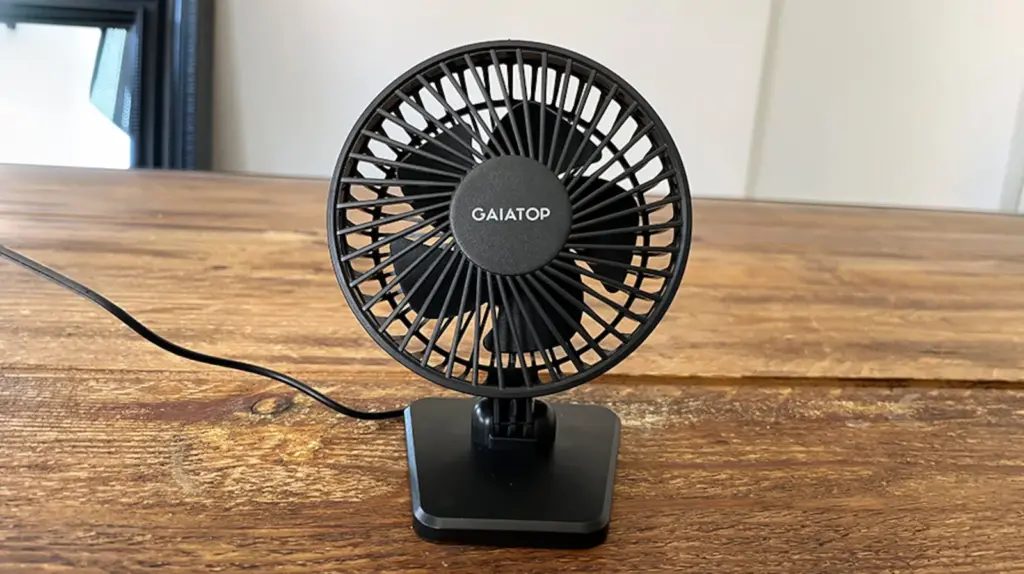
Thanks to being compact and stable, the Gaiatop USB fan is ideal for small spaces and desktop use, with a correct airflow despite its size. However, its wired operation, lack of oscillation, and limited head adjustment make it less versatile compared to other options.
Is it refreshing?
Although the Gaiatop USB fan weighs only 181 g, I was impressed by its great stability and material quality —even if it is plastic—. During tests, it only tipped over once, and that was because I tilted it too much when adjusting the air direction. Since it does not have an oscillating function, the airflow remains fixed, and I had to manually orient the head to the position I needed at each moment. Also, although it is not adjustable 360 degrees, it does offer various positions.
Its size is also one of the smallest among the fans in the comparison, which allowed me to place it in different areas of the desk, as I freed space between books, planners, and various post-its. In this case, I only used it while working, as it requires being plugged in via a USB cable and I do not have a powerbank to connect it.
The air it emits can be regulated through three speeds and, given its design, I was surprised by its capacity to emit more than enough airflow. However, at the first position, I barely felt freshness. Regarding noise, I found it quite quiet overall, although at the highest speed it sometimes emitted certain vibrations that intensified when on the desk.
That said, since it is not oscillating nor can it be placed at all angles, it can be hard to find the perfect position for the air outlet from the head. Also, to the touch, it seemed one of the least durable among all analyzed.
Why do we recommend it?
The best:
- Good stability and quality materials.
- Very light and compact.
To improve:
- No automatic oscillation function.
- Not adjustable 360 degrees, only in some positions.
- No internal battery.
- Produces vibrations at the highest speed.
- Feels less durable.
Mini USB fan Simpeak
It is true that the Simpeak USB fan is compact and easy to carry, ideal for small spaces or taking it outside the house. However, its wired operation, fixed air angle, and higher noise level make it the most limited option.
Is it refreshing?
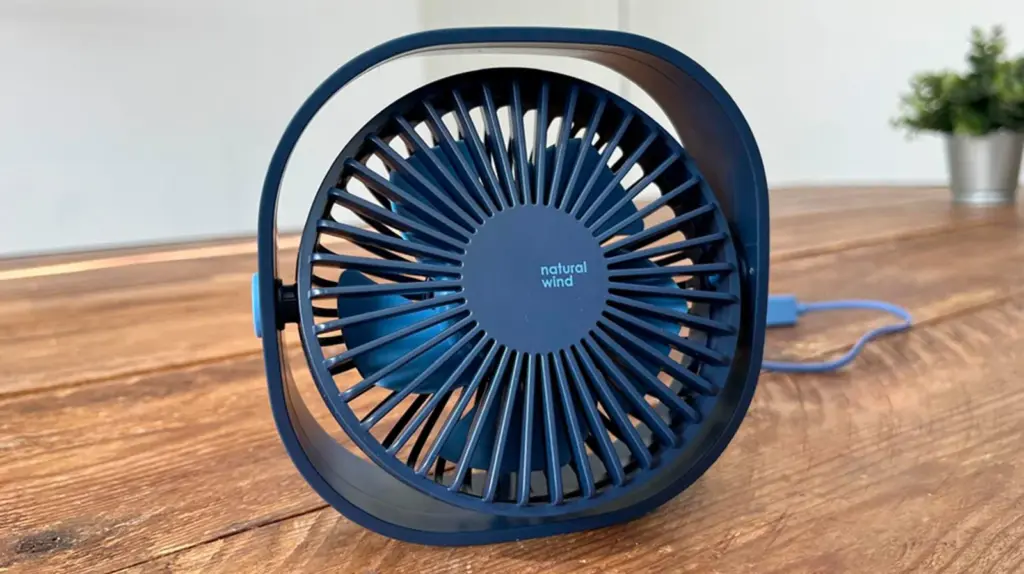
What caught my attention most about the Simpeak USB fan was its aesthetic design and compact size: it fits perfectly in the palm of the hand. This seemed useful both when my home desk was full of things and there was barely space to place anything else, or when I took it to the office in my backpack for a few days. Since it takes up little space and weighs only 180 g, I could put it in a small pocket without it bothering me. This USB fan has no battery, so to use it, it must always be connected, and the cable length is not very long.
It has three speeds adjusted with a single button. At the first, it is barely audible and provides a gentle breeze that I appreciated on mild days. The second offers more freshness but with a slight increase in noise, and at the third, the airflow is considerably stronger. However, the noise also increases and, although not excessively annoying, compared to the other models I tested, I would say it is the loudest. The worst part is that the air outlet angle is fixed, so if you are not right in front of the fan, you barely feel the freshness.
Why do we recommend it?
The best:
- Very light and compact.
- Good power.
To improve:
- No internal battery.
- Very short cable.
- Considerable noise.
- Fixed air outlet angle.
Frequently asked questions about USB desktop fans
Are bladeless desktop fans worth it?
Bladeless fans are very suitable for those who prioritize safety and avant-garde design in their study or work area. These devices use an internal turbine that pushes air through a circular slot, generating a constant, smooth flow free of annoying turbulence. Without exposed blades, cleaning the device is immediate and eliminates any risk of accidents with fingers or loose cables. Additionally, their minimalist aesthetics fit perfectly in modern office environments. Although the initial cost is higher than traditional models, the absence of mechanical noise justifies the purchase to improve concentration.
How long can I leave a USB fan on during the night?
Most of these devices have low-power motors designed for continuous operation without overheating risk. You can keep the unit running all night, as long as you connect it to a reliable charging port or a certified wall adapter. It is vital to ensure the device rests on a flat, clear surface to facilitate fresh air intake to its internal components. Some advanced models include an automatic timer that turns off the system after a few hours of use, an ideal feature to save energy once the ambient temperature drops. However, periodic cable inspection prevents possible electrical failures due to wear.
Does a USB fan consume a lot of electricity?
The impact of this small device on the electricity bill is practically negligible. These units usually operate at 5 volts and power ranging between 2 and 5 watts, a tiny figure compared to centralized air conditioning systems. Even with intensive use of eight hours daily, the monthly cost barely represents a few cents on the bill. This efficiency makes the USB fan the most economical and ecological solution to maintain individual comfort. Thanks to its power supply through data ports, the device takes advantage of residual energy from computers or external batteries with excellent performance.
*All purchase prices included in this article are updated as of May 4, 2026.
You can follow EL PAÍS ESCAPARATE on Instagram, or subscribe here to our Newsletter.
Read more Daily ONCE coupon dedicated to the 50th anniversary of EL PAÍS